
Gitton
The Git Client Built for Vibe Coding
Integrated terminal lets you run Claude Code, Cursor CLI, or any AI coding tool directly inside Gitton. Combined with AI-powered commits, code reviews, and PR descriptions.
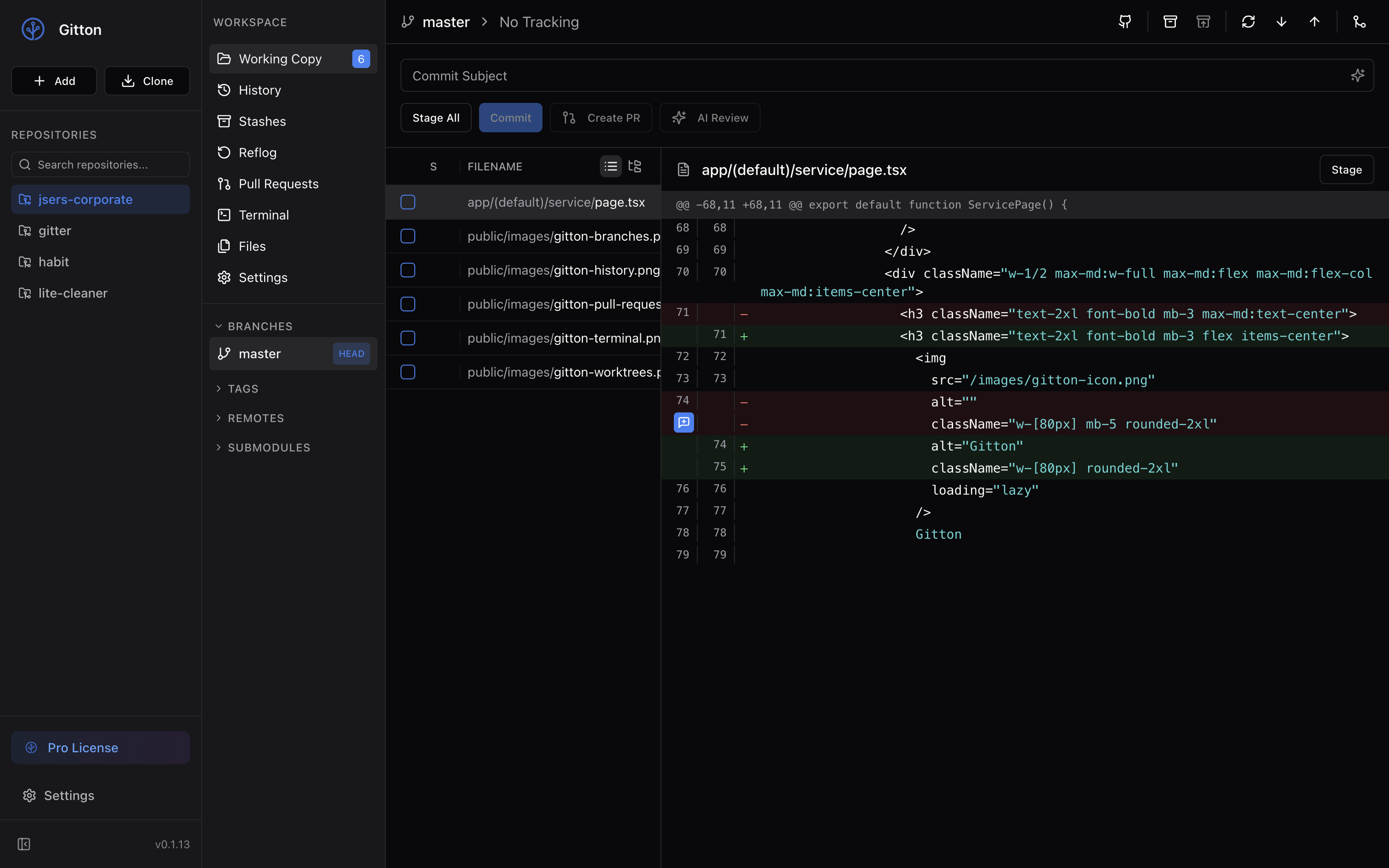
Beautiful Commit History
Visualize your project history with an intuitive graph view. Browse commits, view diffs, and understand your codebase evolution at a glance.
- Visual branch graph with color coding
- Cherry-pick, revert, and reset commits
- View file changes for any commit
- Compare branches and tags
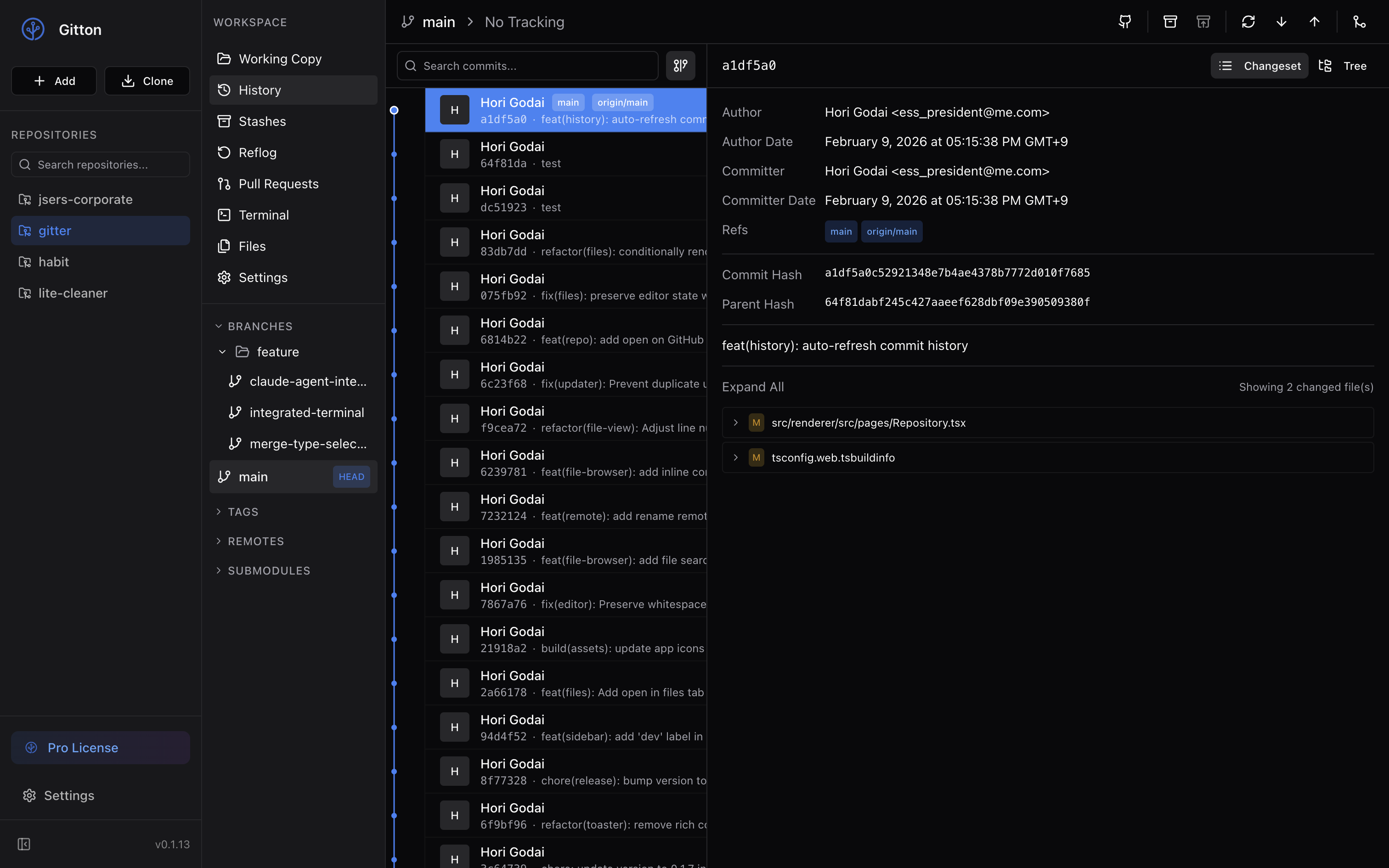
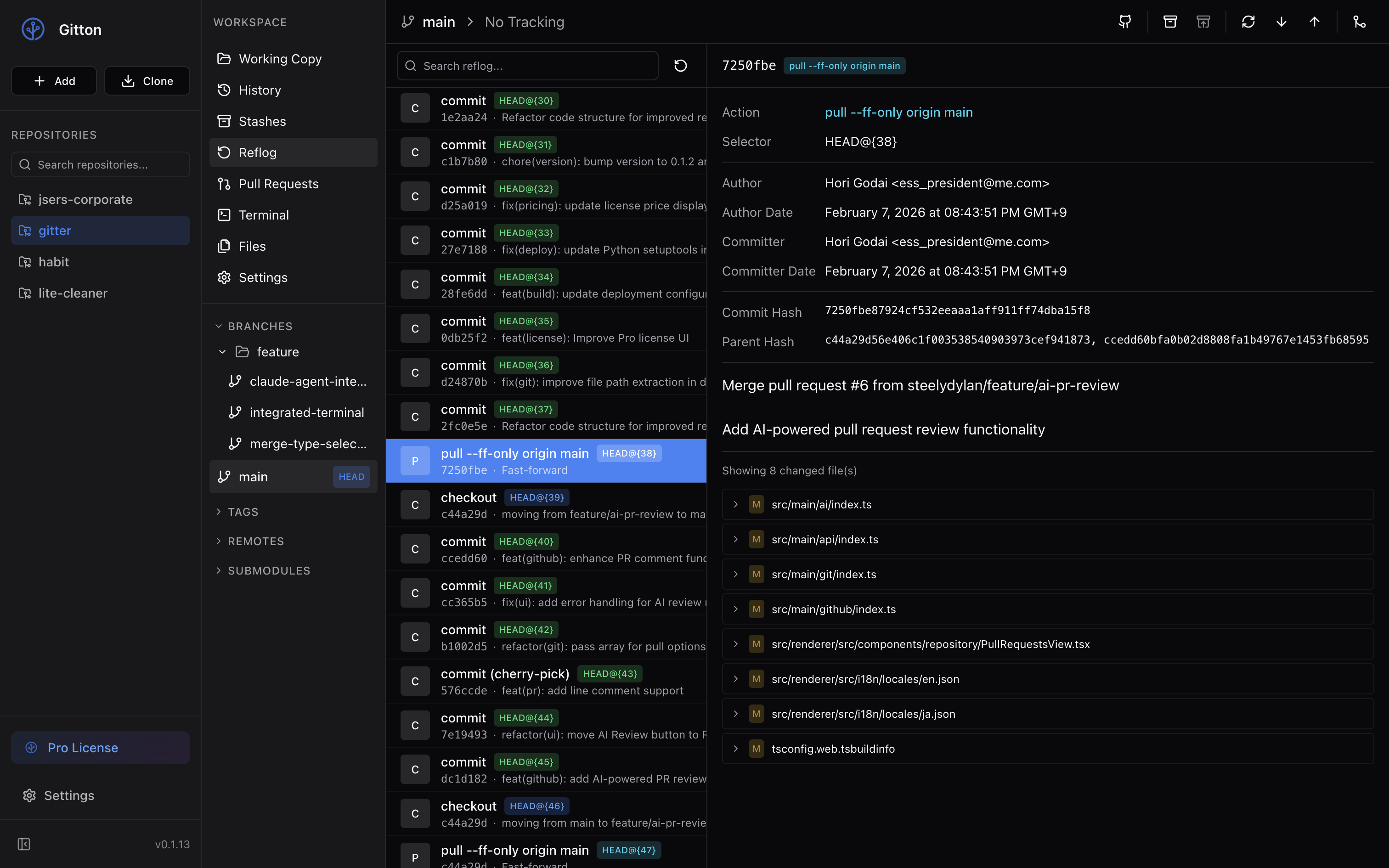
Reflog - Never Lose Your Work
Visual operation history lets you see every Git action. Made a mistake? Easily recover from accidental resets, wrong merges, or lost commits.
- Full operation history - checkouts, commits, resets
- Restore to any previous state
- Quickly identify what went wrong
- Safe experimentation with confidence
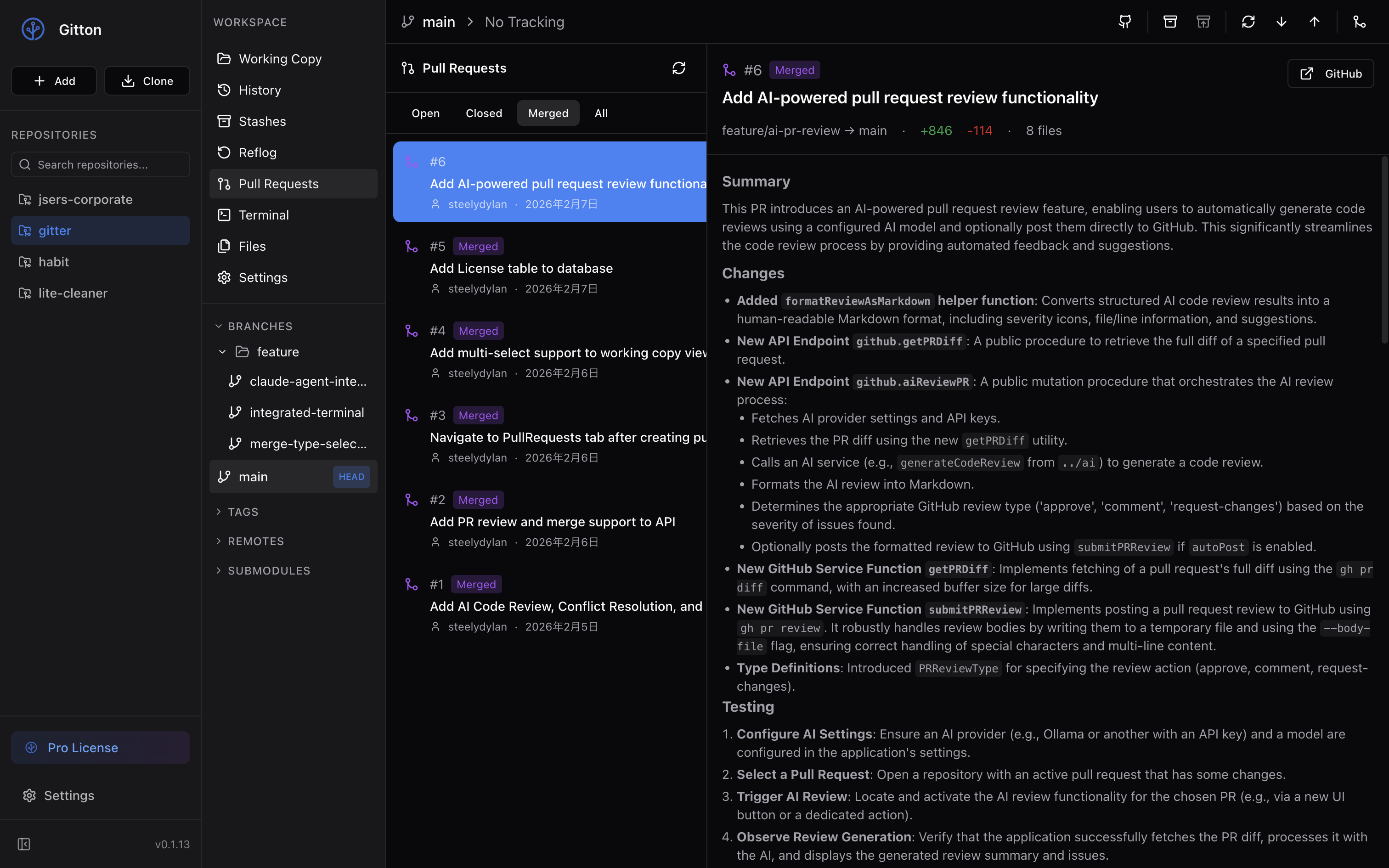
Complete PR Workflow
Create, review, and merge Pull Requests without leaving the app. AI can generate PR descriptions from your commits.
- Create PRs with AI-generated descriptions
- View file diffs, comments, and reviews
- AI-powered PR reviews posted to GitHub
- Merge, approve, or request changes
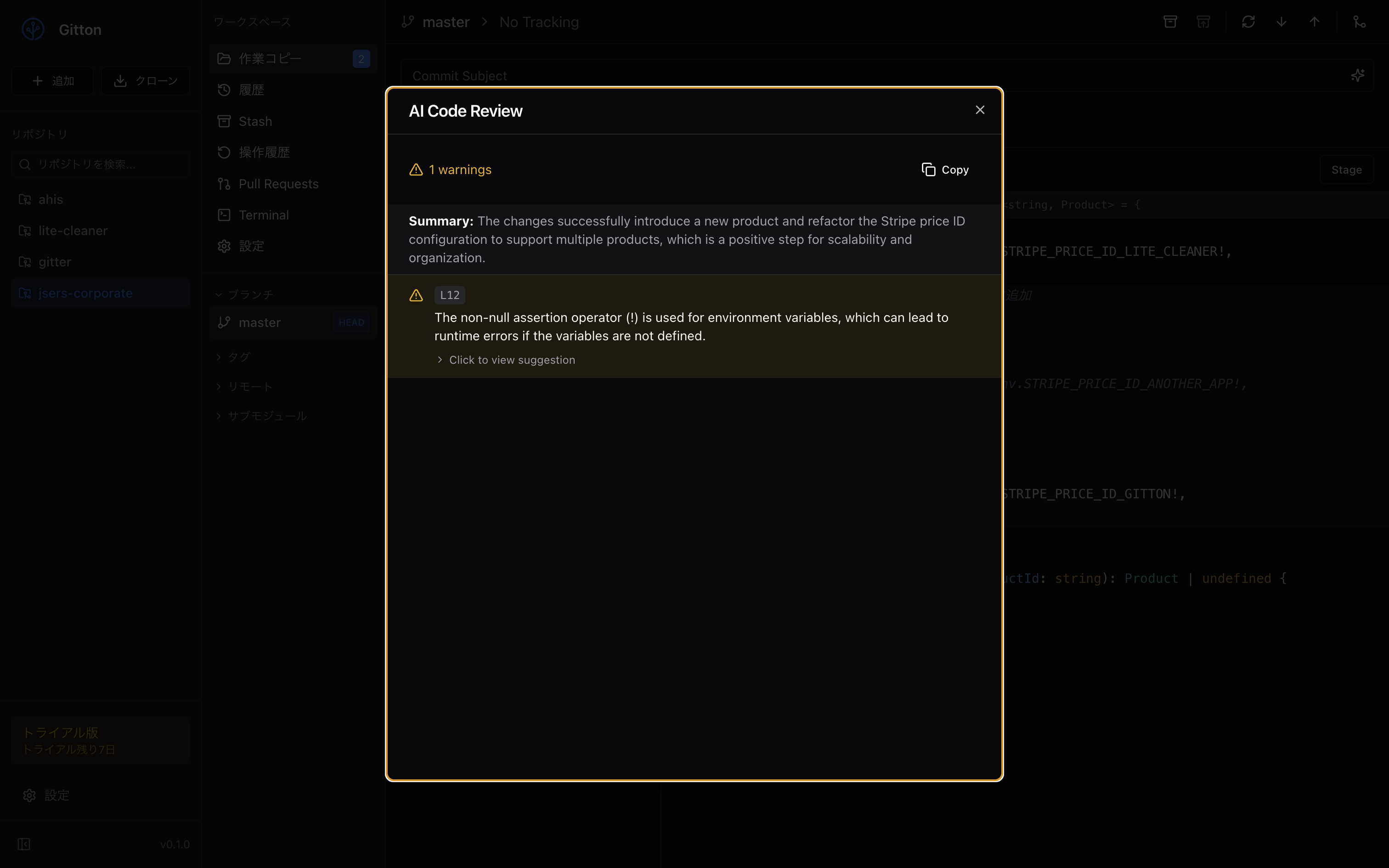
AI Commit Messages & Code Review
Let AI analyze your changes and generate meaningful commit messages. Get instant code review feedback before pushing.
- Conventional Commits auto-generated
- Security analysis before commit
- Multiple providers: OpenAI, Anthropic, Google, Ollama
- Local AI with Ollama for privacy
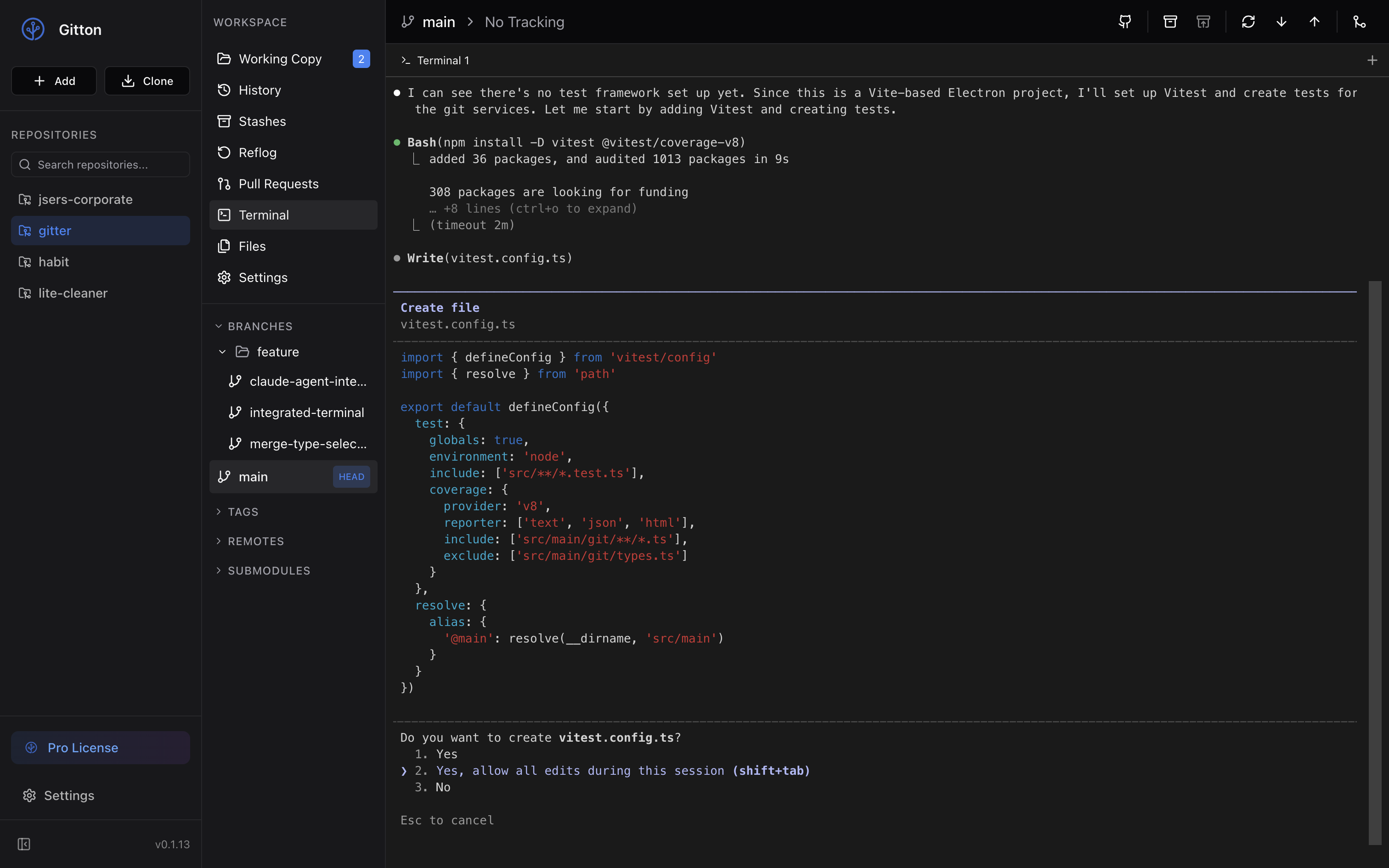
Integrated Terminal for AI Tools
Use your favorite AI coding tools right inside Gitton. Run Claude Code, Cursor CLI, GitHub Copilot, or any AI assistant. When they make changes, stage and commit without switching apps.
- Any AI tool: Claude Code, Cursor, Copilot, Aider
- Seamless workflow - AI codes, you commit
- Multi-tab terminal sessions
- Auto-opens in repo directory
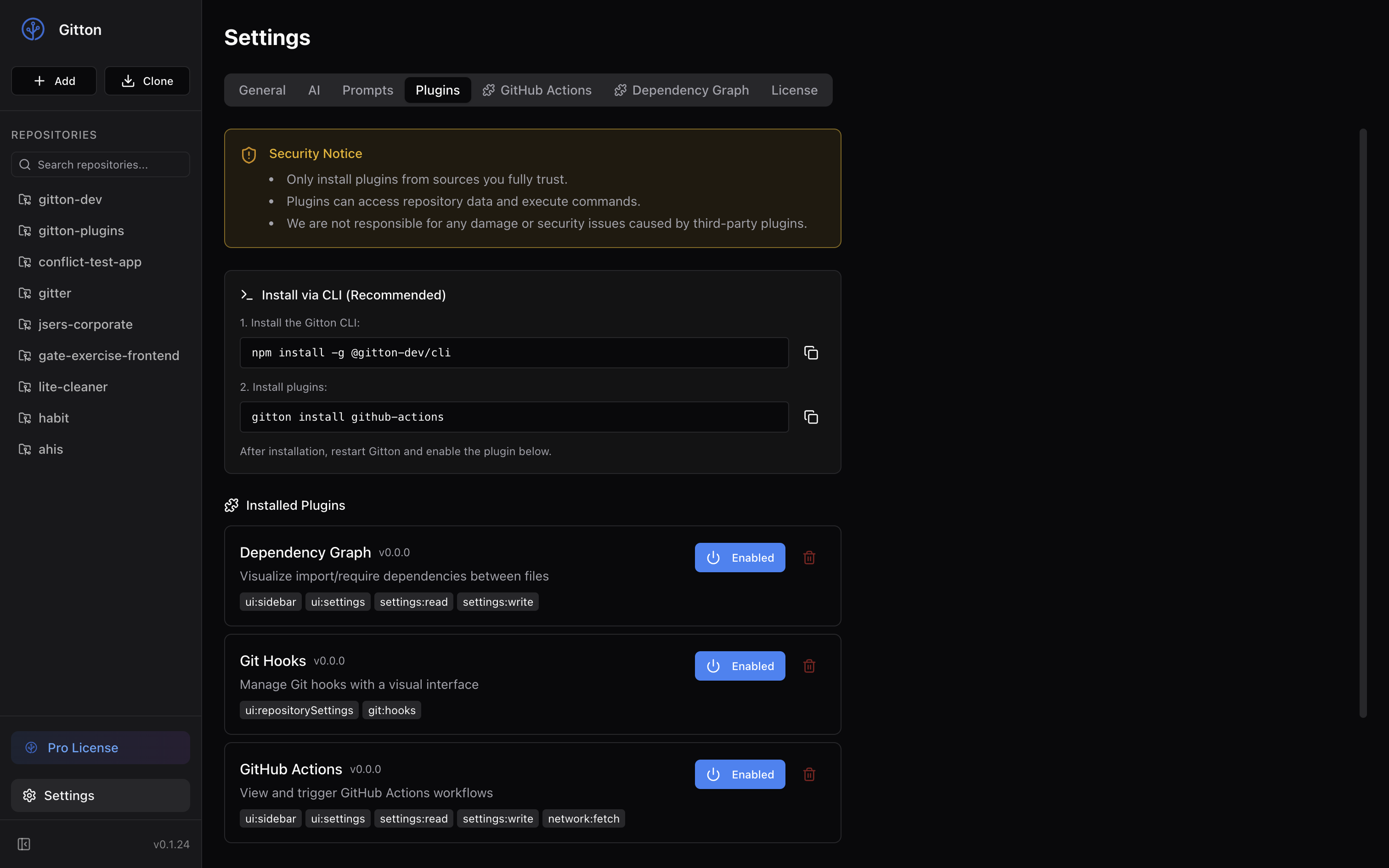
Extend with JavaScript
Customize Gitton with plugins written in JavaScript/TypeScript. Add GitHub Actions integration, dependency graphs, Git hooks management, and more. Use React, Vue, or any framework you prefer.
- Build plugins with JavaScript/TypeScript and React
- Official plugins: GitHub Actions, Dependency Graph, Git Hooks
- Create your own with npx create-gitton-plugin
FAQ
Which AI providers are supported?▼
Gitton supports OpenAI (GPT-4), Anthropic (Claude), Google (Gemini), and Ollama for local AI. You need to provide your own API key to use AI features.
Do I need GitHub CLI installed?▼
Yes, for GitHub integration features like PR management, you need GitHub CLI (gh) installed and authenticated. Basic Git features work without it.
Which macOS versions are supported?▼
Gitton supports macOS 12 (Monterey) and later on Apple Silicon Macs. Intel Macs can run Gitton via Rosetta 2.