Why We Built Gitton
You can now develop without opening VSCode. Why Gitton became "Git Client + Terminal" - explaining the design philosophy behind it.
I Stopped Opening My Editor
In 2025, I noticed my development style had fundamentally changed.
Claude Code, Cursor CLI, Aider. Ever since I started using these AI coding tools, the time I spent opening VSCode dropped dramatically. Without realizing it, the protagonist of coding had shifted from the editor to the terminal.
It makes sense when you think about it. Tell AI "implement this feature," and AI writes the code. All I need to do is give instructions and review the results. No more writing code line by line in an editor.
Once you realize this, what you actually need for development becomes clear. A terminal to give instructions to AI. A Git client to review changes and commit. GitHub integration to manage PRs. Put these three things in one app, and you no longer need to open an editor.
That was the starting point of Gitton.
AI Writing Code Makes Git More Important
It might seem counterintuitive, but in the AI era, a simple Git client isn't enough. You actually need a more powerful one.
The reason is straightforward. AI writes large amounts of code at once. And sometimes it makes changes you didn't intend. This means you need to track change history in detail, revert to specific states, and organize multiple changes far more often than before.
That's why I packed Gitton with Git features.
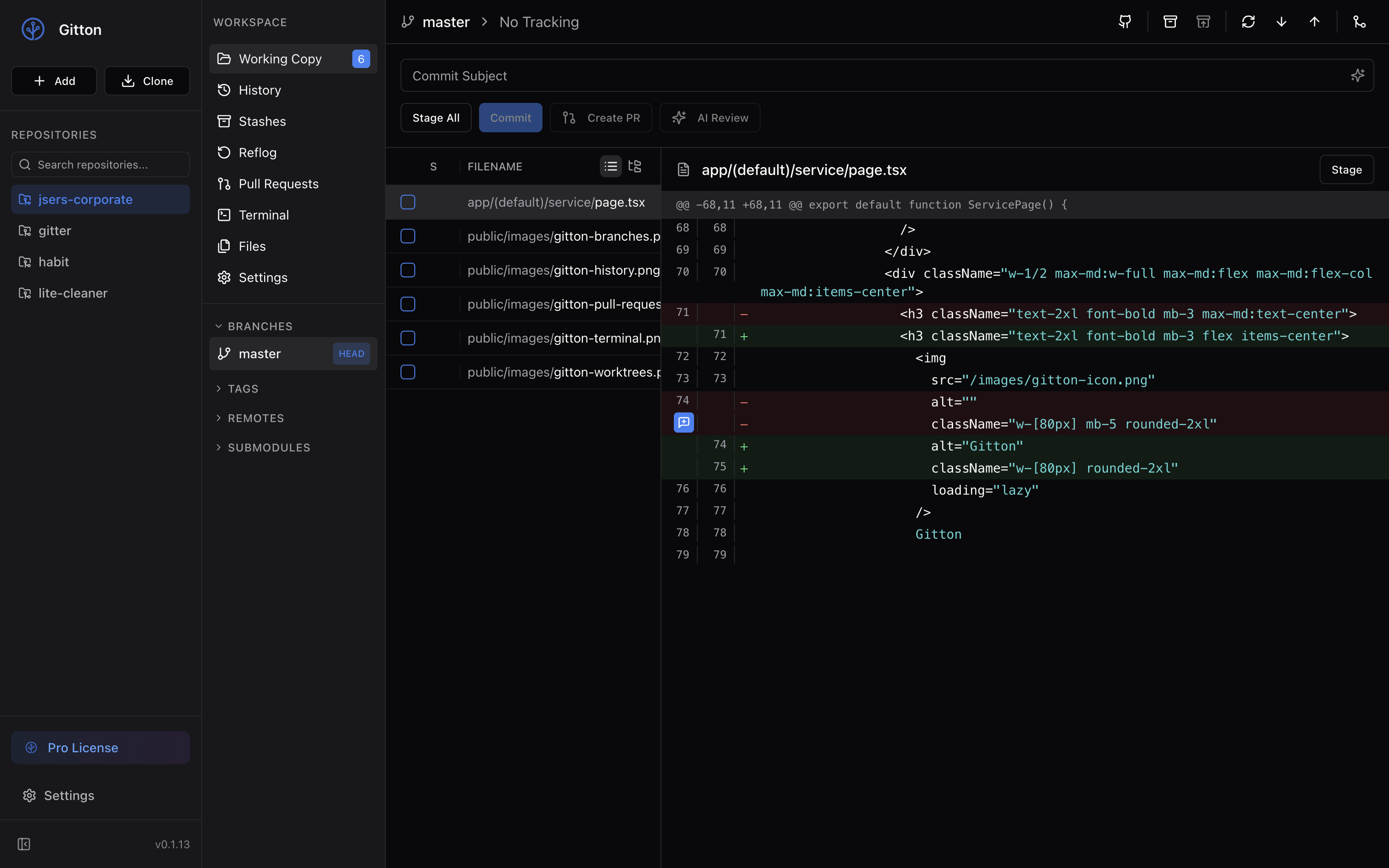
Reflog lets you see your entire operation history. Even if AI makes weird changes, you can always go back to any point—that peace of mind matters. When merging, you can choose between fast-forward, squash, and no-ff. When pulling, you can pick merge, rebase, or fast-forward only. Commit history displays as a visual graph, and you can easily compare diffs between any commits. You can preview stash contents too, so it's fine if you forget what you stashed.
Back when I wrote all the code myself, I didn't need such granular Git operations. I knew what changed, so simple commit, push, pull was enough. But code written by AI isn't as familiar as code you wrote yourself. That's exactly why you need features to trace history, compare changes, and undo operations.
Git clients for the AI era actually need more advanced Git features, not fewer.
GitHub Is All You Need
When starting Gitton's development, I made one decision. No support for GitLab, Bitbucket, or Azure DevOps. Focus exclusively on GitHub.
Trying to support multiple platforms means every feature becomes half-baked. Better to thoroughly master one platform instead.
In reality, most developers use GitHub anyway. If GitHub is perfectly supported, that's enough for the vast majority of users.
In return, I built out GitHub features thoroughly. View all PRs within the repository. Add inline comments while viewing file diffs. AI auto-generates PR descriptions from commit history. AI performs code reviews and posts them to GitHub. Merging, approving, requesting changes—everything completes within the app.
This level of polish was only possible because I focused on one platform.
Eliminating Wait Time
The biggest waste in AI coding is wait time. Give instructions to AI, wait for implementation, review, give next instructions. This serial flow doesn't maximize AI capabilities.
That's why Gitton has Worktree functionality.
With Worktrees, you can create multiple working directories from a single repository. Launch separate AI sessions in each directory, and you can develop three features simultaneously.
While one AI is working, give instructions to another AI in a different Worktree. Check progress over coffee, and three features are almost done at the same time. Work that used to take 90 minutes finishes in 30.
This is the development style of the Vibe Coding era.
No Code Editor Needed
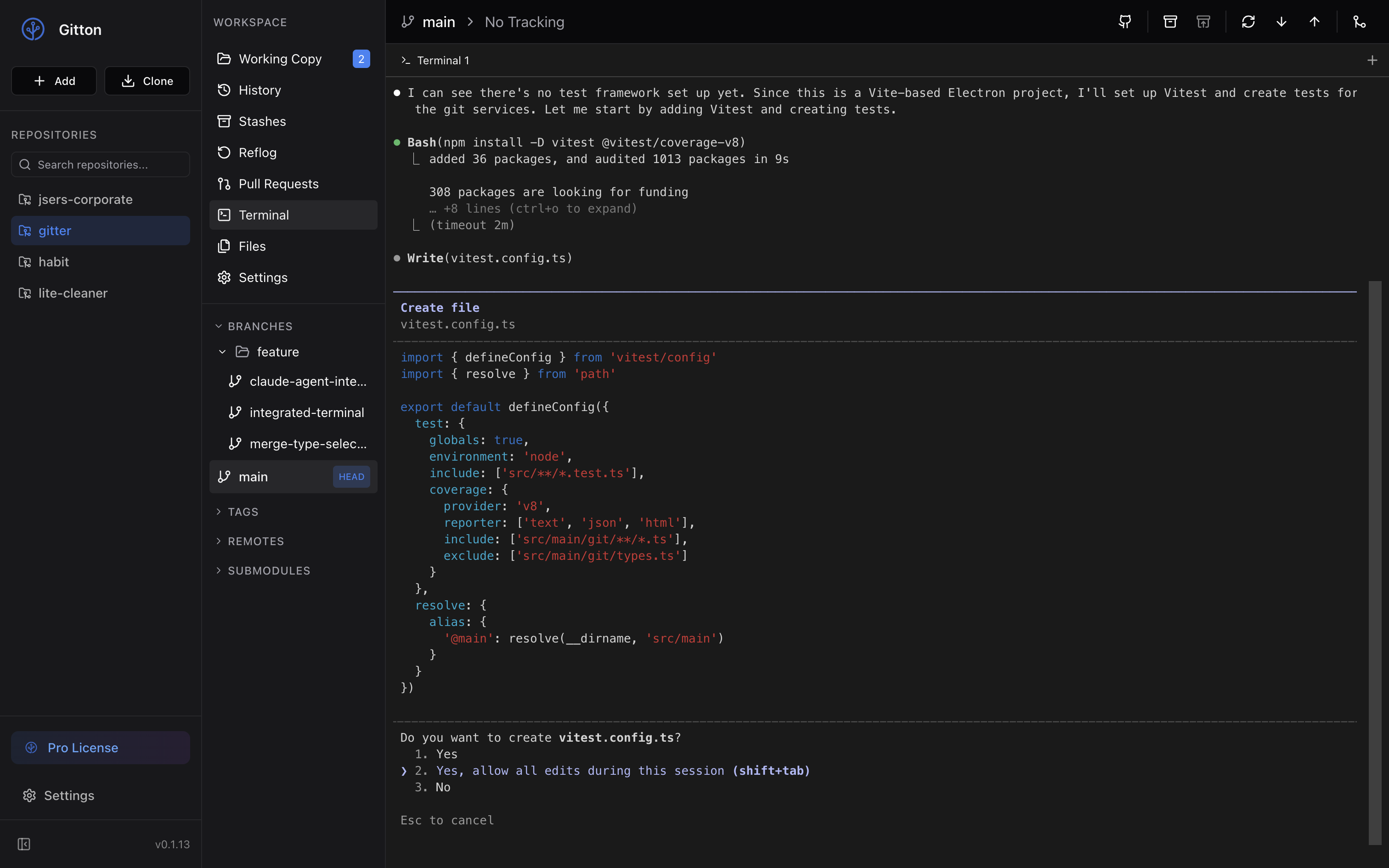
Gitton doesn't have code editor features like VSCode. Instead, it has an integrated terminal.
Launch Claude Code in this terminal and give instructions to AI. When AI finishes writing code, check the diff in Gitton's staging screen. If it looks good, commit and create a PR. Feature implementation completes without opening an editor once.
Of course, you can open an editor for fine-tuning if needed. But most of the time, it's unnecessary. Just tell AI "fix this part" and you're done.
When copying code from the file diff screen, line numbers are automatically included. It copies to clipboard as src/components/Header.tsx:42-48, so you can paste it directly into the terminal to instruct AI. Instead of vague "fix this line," you can communicate the exact location.
Only What's Necessary, Thoroughly Refined
Gitton's design philosophy is simple.
In an era where AI writes code, editors have become supplementary. So I don't include editor features. But Git features get stronger, not weaker. Managing code written by AI requires advanced Git operations.
Give instructions to AI in the terminal, review results and commit in a powerful Git client, manage PRs with GitHub integration. Cut support for Git services you won't use, and thoroughly support GitHub alone. Enable parallel development with Worktrees, eliminating wait time.
Strip away unnecessary features, thoroughly polish what's needed.
You can manage git without opening VSCode. Just give instructions to AI for rapid development. That's the Git client for the Vibe Coding era.