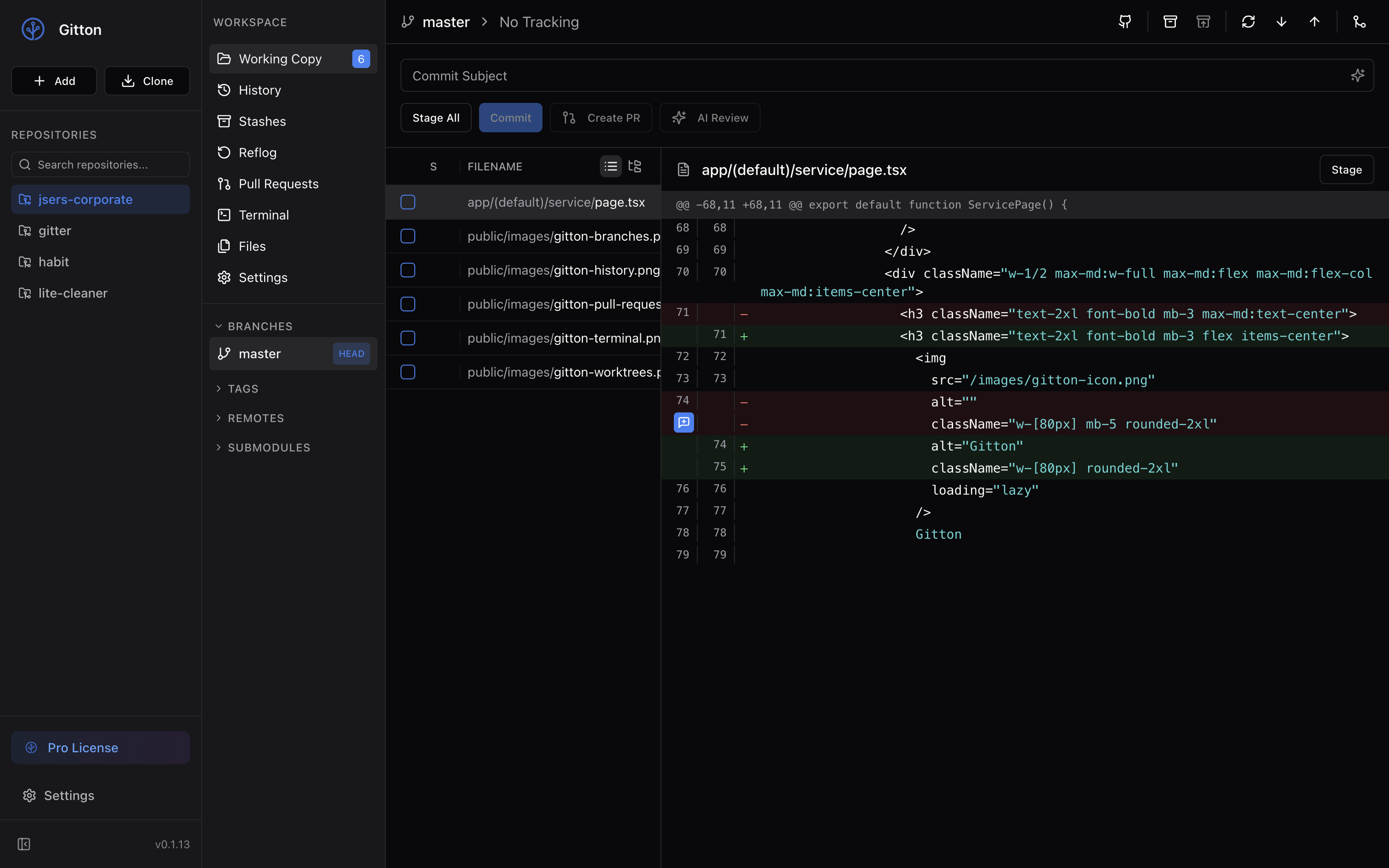
Gitton Now Supports Plugins
Gitton now supports a plugin system extensible with JavaScript/TypeScript. Easily install plugins with the gitton install command and customize it to fit your workflow.
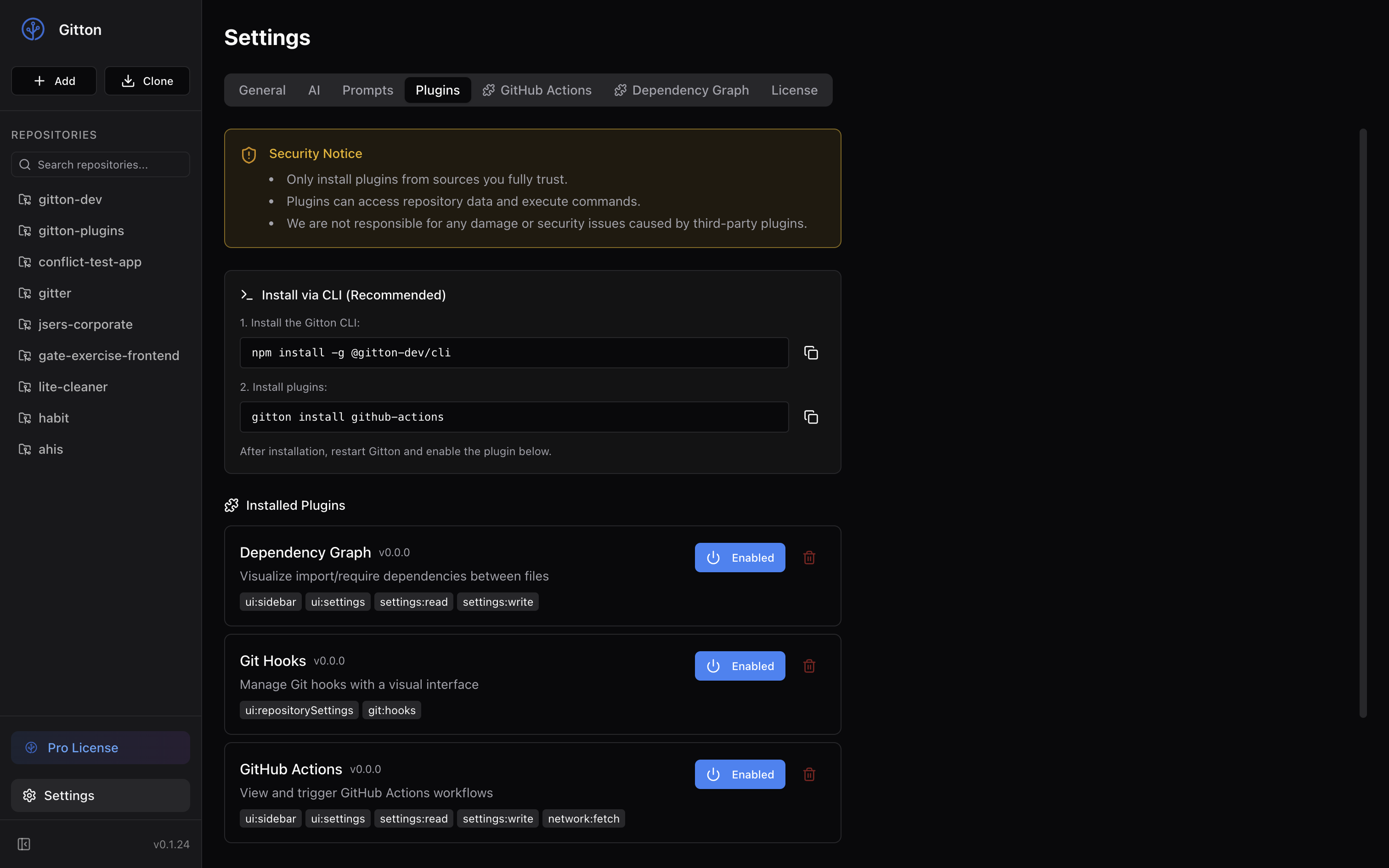
Extend Gitton with JavaScript/TypeScript
Gitton now supports plugins written in JavaScript/TypeScript.
Keep the core features simple while customizing Gitton to match your development style with plugins.
The gitton install Command
Installing plugins is easy from the CLI.
First, install the Gitton CLI:
npm install -g @gitton-dev/cli
Then, install plugins using the gitton install command:
gitton install github-actions
After installation, restart Gitton and enable the plugin from the settings page.
Gitton Plugins Settings
Official Plugins
The following official plugins are currently available:
Dependency Graph
Visualize import/require dependencies between files as a graph. Useful for understanding module structure in large projects.
gitton install dependency-graph
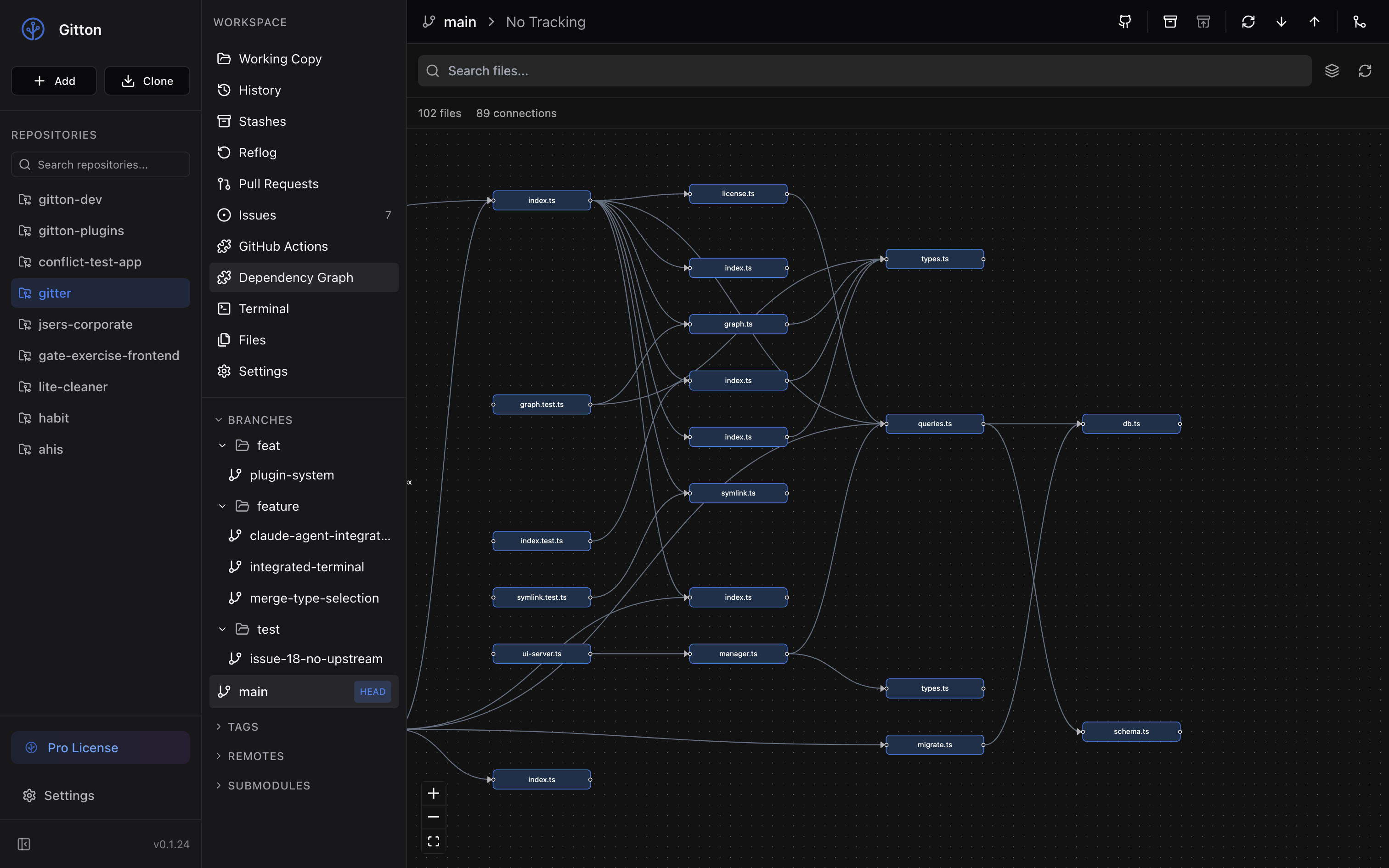 Dependency Graph
Git Hooks
Manage Git hooks like pre-commit and pre-push with a visual interface. No more editing .git/hooks directly in the terminal.
gitton install git-hooks
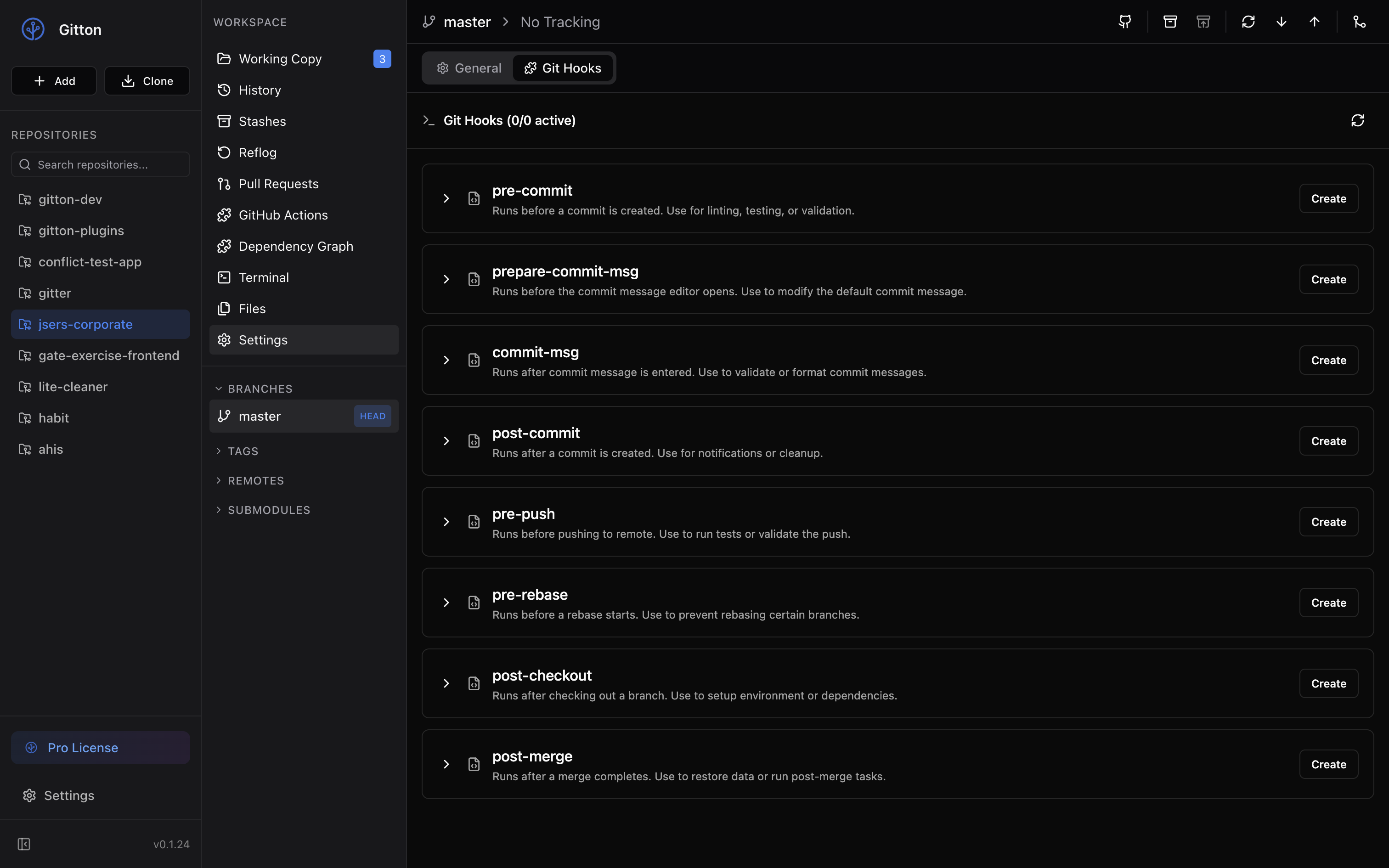 Git Hooks
GitHub Actions
View and trigger GitHub Actions workflows within the app. Check CI status and trigger workflows without opening your browser.
gitton install github-actions
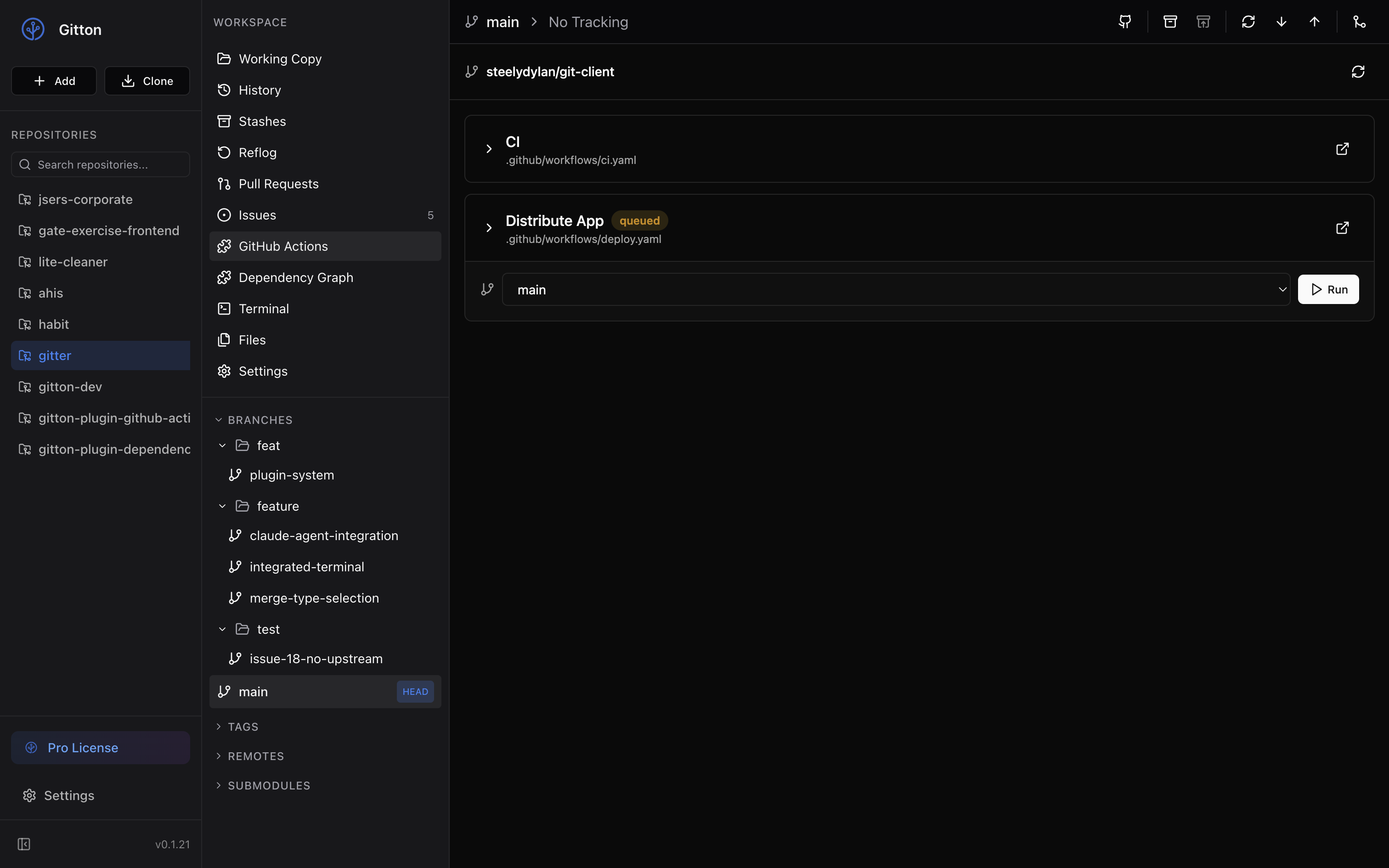 GitHub Actions
Security Notice
Plugins can access repository data and execute commands. Only install plugins from sources you fully trust.
We are not responsible for any damage or security issues caused by third-party plugins.
Build Your Own Plugins
Developers can create their own plugins using JavaScript/TypeScript.
Use the create-gitton-plugin command to easily scaffold a new plugin with interactive prompts:
npx create-gitton-plugin
Simply select the extension points you want (sidebar, settings, editor, etc.) using checkboxes, and all necessary files will be generated automatically.
You can also skip the interactive prompts by providing options:
npx create-gitton-plugin -n my-plugin -e sidebar,settingsTab --react --tailwind -y
Plugins are written in TypeScript. Various APIs are available for extending the UI, reading and writing settings, network access, and more.
The source code for official plugins is available on GitHub for reference.
What's Next
The plugin system is just getting started. We plan to add more official plugins in the future.
We'll also be improving the plugin development documentation.