

BillTimer
Track time. Create invoices. Get paid.
A simple time tracking app for freelancers. Track billable hours, manage clients, and generate professional invoices.
Perfect for freelancers who need:
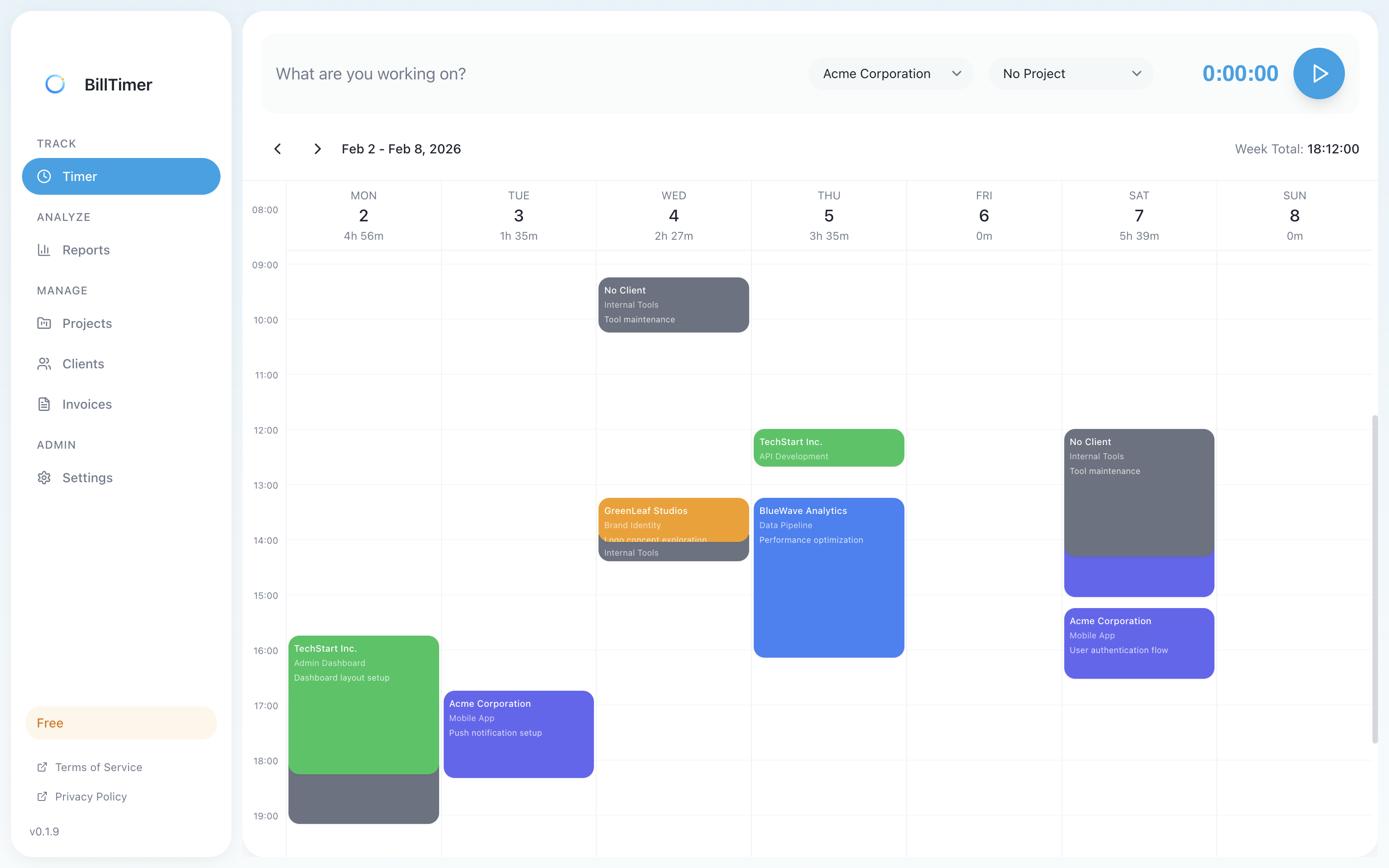
One-Click Timer
Start and stop timers with a single click. Track time for different clients and projects effortlessly.
- ✓Weekly calendar view
- ✓Manual time entry
- ✓Project and client tagging
- ✓Running timer indicator
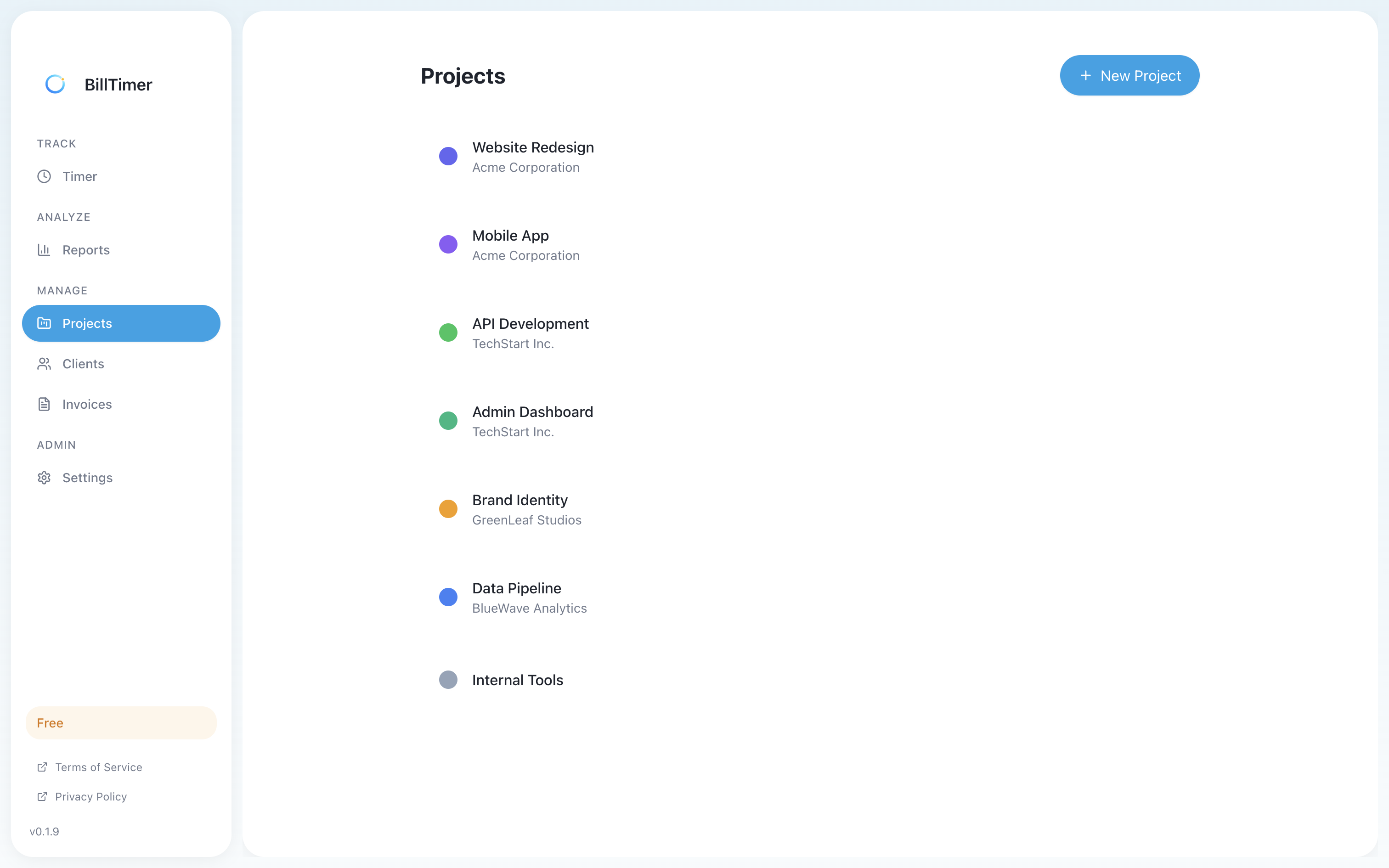
Clients & Projects
Organize your work by client and project. Set hourly rates and track billable vs non-billable time.
- ✓Client profiles with contact info
- ✓Project organization
- ✓Custom hourly rates per client
- ✓Color coding for easy identification
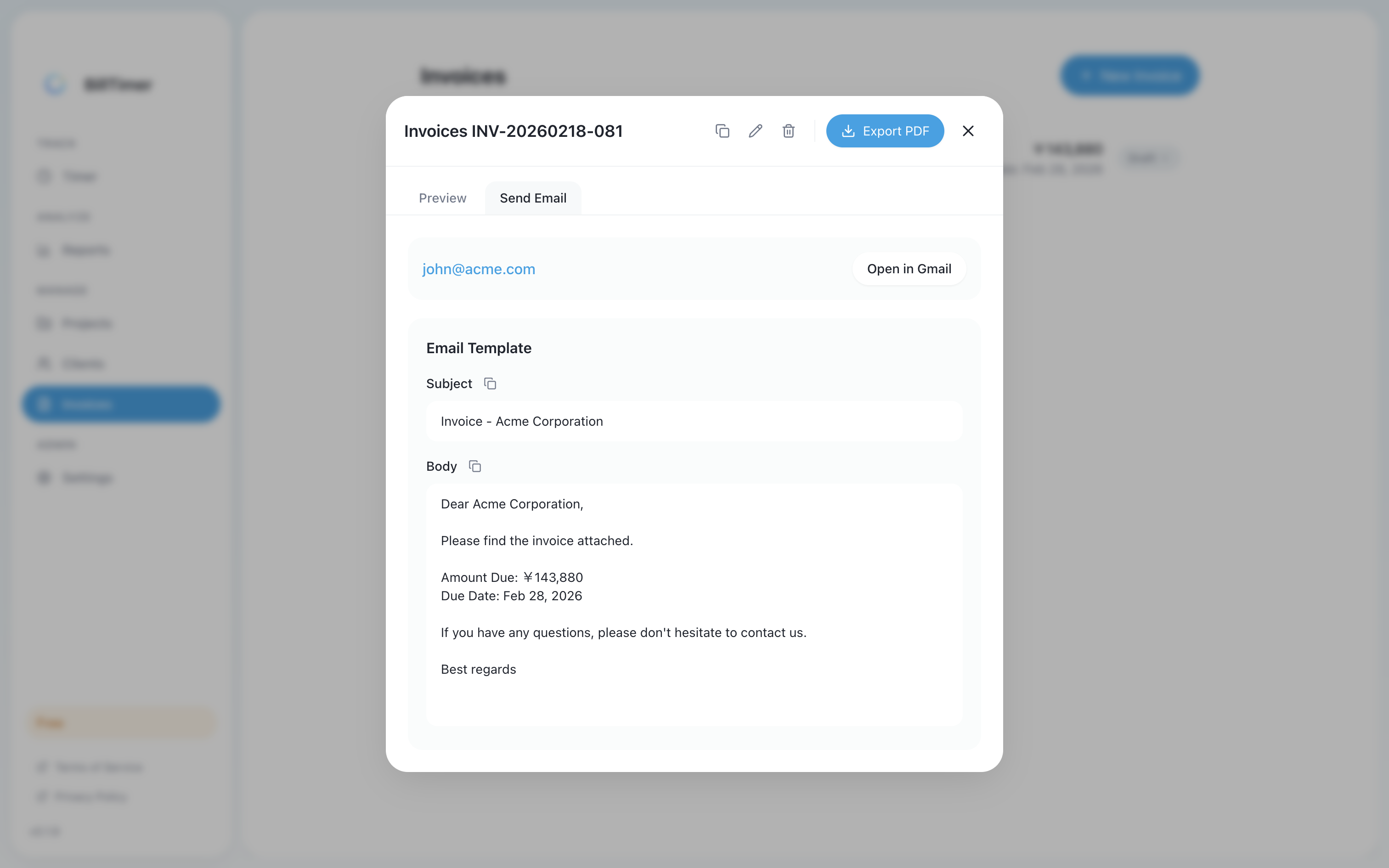
Professional Invoices
Generate beautiful invoices from tracked time. Export to PDF and send directly to clients.
- ✓Auto-calculate from tracked time
- ✓PDF export
- ✓Email integration (Gmail)
- ✓Tax calculation support
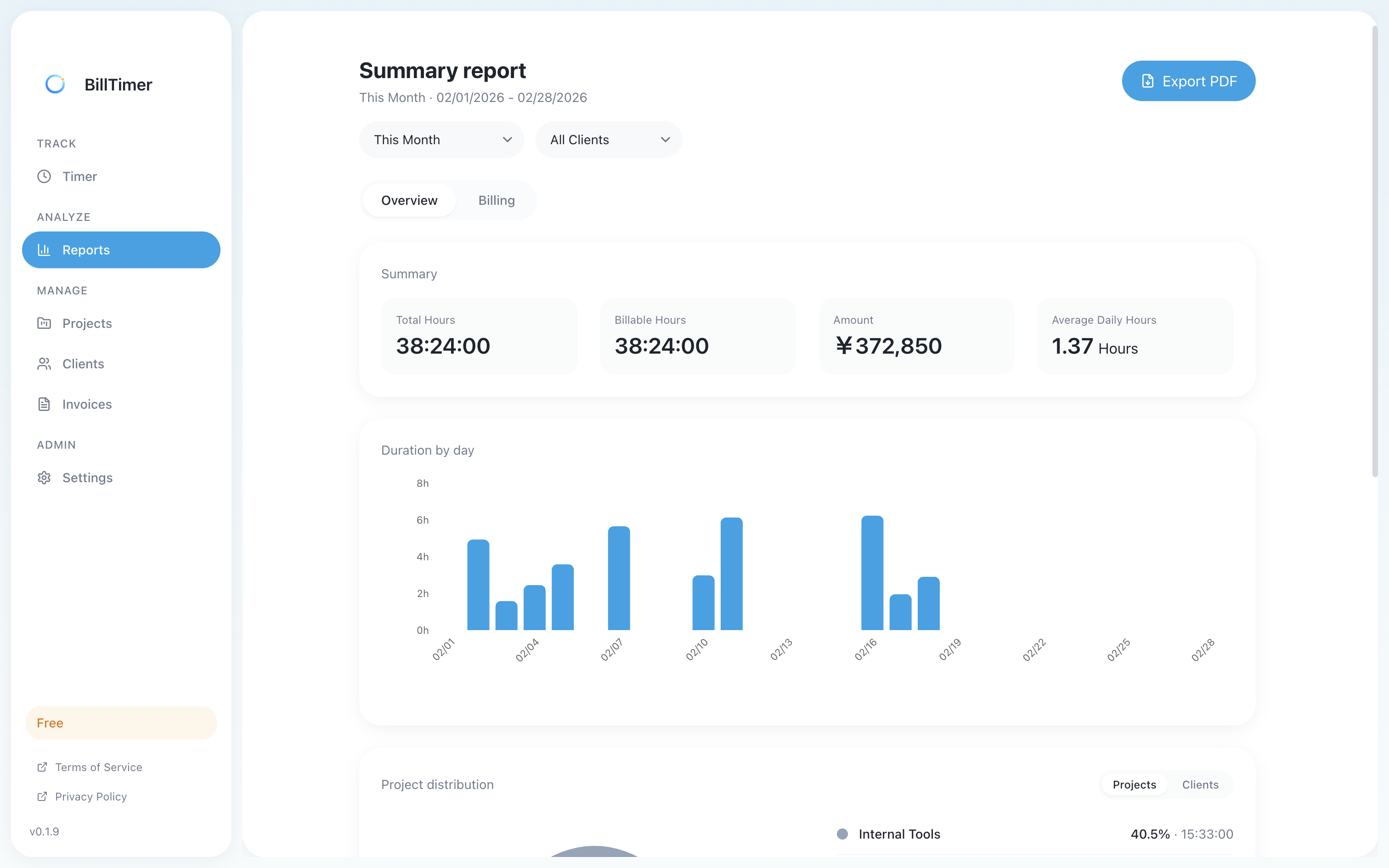
Reports & Analytics
Understand where your time goes. View reports by client, project, or time period.
- ✓Weekly and monthly reports
- ✓Breakdown by client
- ✓Breakdown by project
- ✓Billing amount reports
Free vs Pro
| Feature | Free | Pro |
|---|---|---|
| Clients | 1 | Unlimited |
| Projects | 1 | Unlimited |
| One-Click Timer | ✓ | ✓ |
| PDF Invoices | ✓ | ✓ |
| Reports & Analytics | ✓ | ✓ |
| Future Updates | ✓ | ✓ |
Simple Pricing
One-time purchase. No subscription.
- ✓Unlimited clients and projects
- ✓Free future updates
- ✓1 license for 1 Mac
Secure payment powered by Stripe
Your Data, Your Control
All your data is stored completely locally on your Mac.
BillTimer never sends any data to external servers.
FAQ
What's the difference between Free and Pro?▼
The free version limits you to 1 client and 1 project. Pro gives you unlimited clients and projects.
Where is my data stored?▼
All your data is stored completely locally on your Mac. BillTimer never sends any data to external servers. Sensitive information like bank account details is encrypted and securely stored in macOS Keychain.
How many Macs can I use with one license?▼
One license is valid for one Mac at a time. You can transfer your license to a different Mac by deactivating it on the current device.
Can I get a refund?▼
We do not offer refunds. Please try the free version before purchasing to ensure the app meets your needs.
Which macOS versions are supported?▼
BillTimer supports macOS 12 (Monterey) and later. It works on both Apple Silicon (M1/M2/M3/M4) and Intel Macs.