Introducing gut-cli - A CLI Tool to Make Git a Little Easier
Commit messages, PR descriptions, branch names... A CLI tool that uses AI to automate the small hassles of git.
Introduction
Ever find yourself stuck at git commit -m "what should I write here..."?
Writing good commit messages takes more time than you'd expect. Should it be feat or fix? What about the scope? English or your native language? You end up writing something lazy like "fix bug" just to move on.
Branch names are the same. You look at the issue, come up with something like feature/user-authentication-with-oauth2-integration, carefully type git checkout -b trying not to make typos. It's tedious.
Then there's PR descriptions, and those times you forget to name your stash and later wonder "what was this...?"
None of these are a big deal individually, but they add up and break your flow.
So I built gut - a CLI tool that uses AI to automate these "small git annoyances."
What gut Can Do
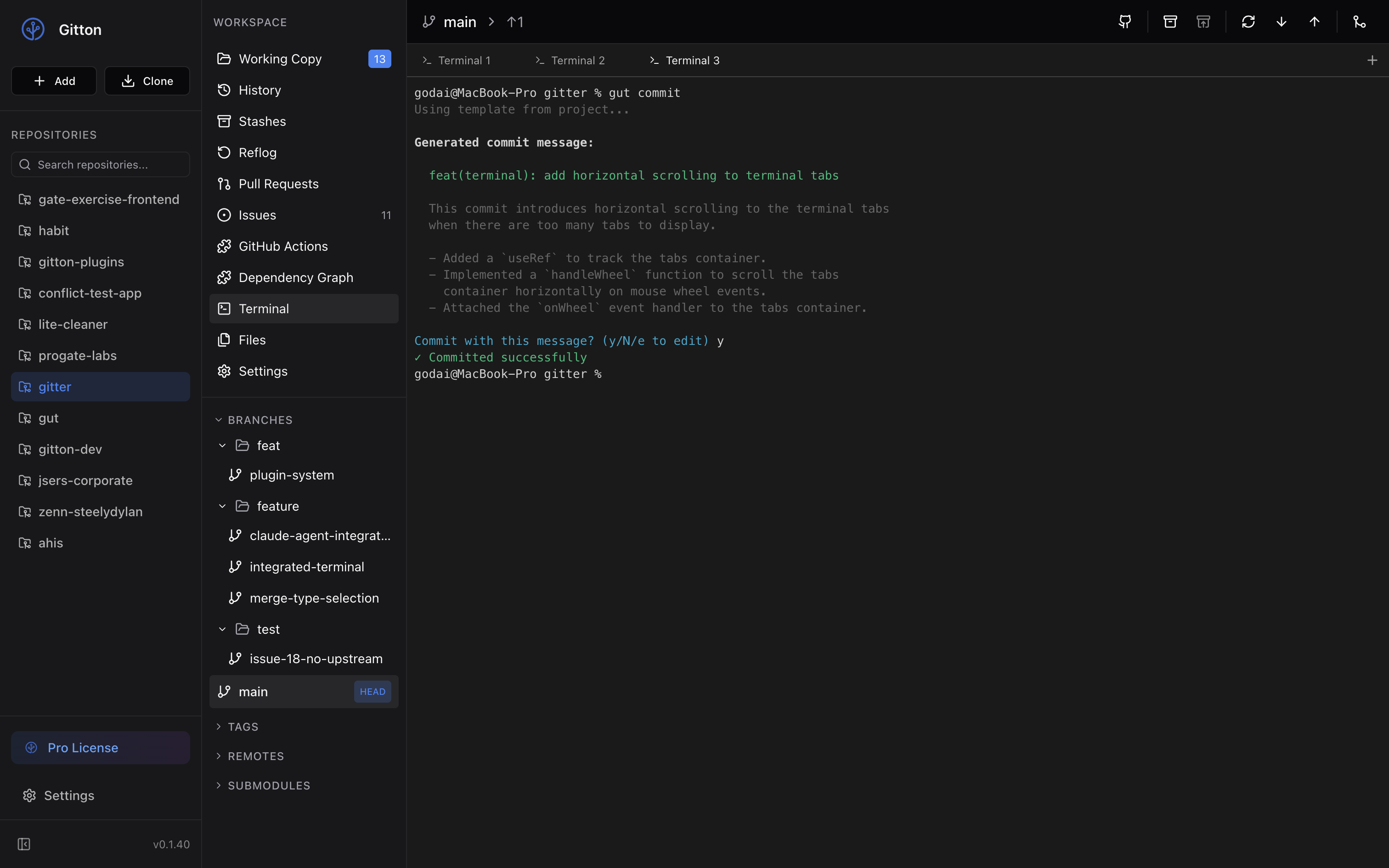
Auto-generate commit messages
$ gut commit

✨ Generated commit message:
feat(auth): add OAuth2 login flow with Google provider

Proceed? (Y/n)
It analyzes your changes and generates a Conventional Commits style message.
Generate PR descriptions
$ gut pr

📝 Generated PR:

Title: Add user authentication feature

Description:
──────────────────────────────────────────────────
## Summary
- Add user authentication
- Implement session management
──────────────────────────────────────────────────

Create PR with gh CLI? (y/N) y
✓ PR created successfully!
Generates PR title and description from your branch's commit history and diff.
Generate branch names from issues
$ gut branch 123 --checkout

✨ Created and checked out: feature/123-oauth2-authentication
Just pass the issue number and it generates an appropriate branch name and checks it out.
And more
gut review- Code reviewgut merge- Auto-resolve conflictsgut explain- Explain changesgut find- Find commits with vague searchgut stash- Named stashesgut summary- Generate daily/weekly reports
Why I Built gut
AI coding assistants like Claude Code are powerful, but sometimes you just want to generate a commit message and they feel like overkill.
gut is focused only on git operations. Instead of analyzing your entire codebase, it only looks at the diff, so results come back in seconds.
No Subscription Required
Many AI tools require monthly subscriptions. gut uses your own API key, so you only pay for what you use.
Choose from Gemini, OpenAI, or Anthropic.
Your API Keys Are Secure
Managing API keys is a serious security concern.
gut stores your API keys in your operating system's native credential storage. Keychain on macOS, Credential Vault on Windows, Secret Service API on Linux. Never in plain text.
No risk of accidentally committing API keys in .env files or config files.
Installation and Usage
# Install
npm install -g gut-cli

# Set up API key (for Gemini)
gut auth login --provider gemini

# Try it
gut commit
Check out the GitHub repository for more details.
Give it a try!